Hi-res Music Assistant, at home on Apple TV. And on your iPhone and iPad.
Streamphile is a Music Assistant client for people who care what reaches the DAC. It registers itself with your Music Assistant server as a player and receives lossless audio over SendSpin, up to 192 kHz / 24-bit, decoded through SFBAudioEngine. On Apple TV the HDMI output is reconfigured to each track's sample rate, so a 44.1 kHz album and a 192 kHz master each arrive at the receiver as themselves. Now Playing shows the source format, taken from Music Assistant rather than guessed from the decoder. Around that: your whole library, search, radio, podcasts and audiobooks, synced lyrics, and Metal visualizers that include a MilkDrop preset player.
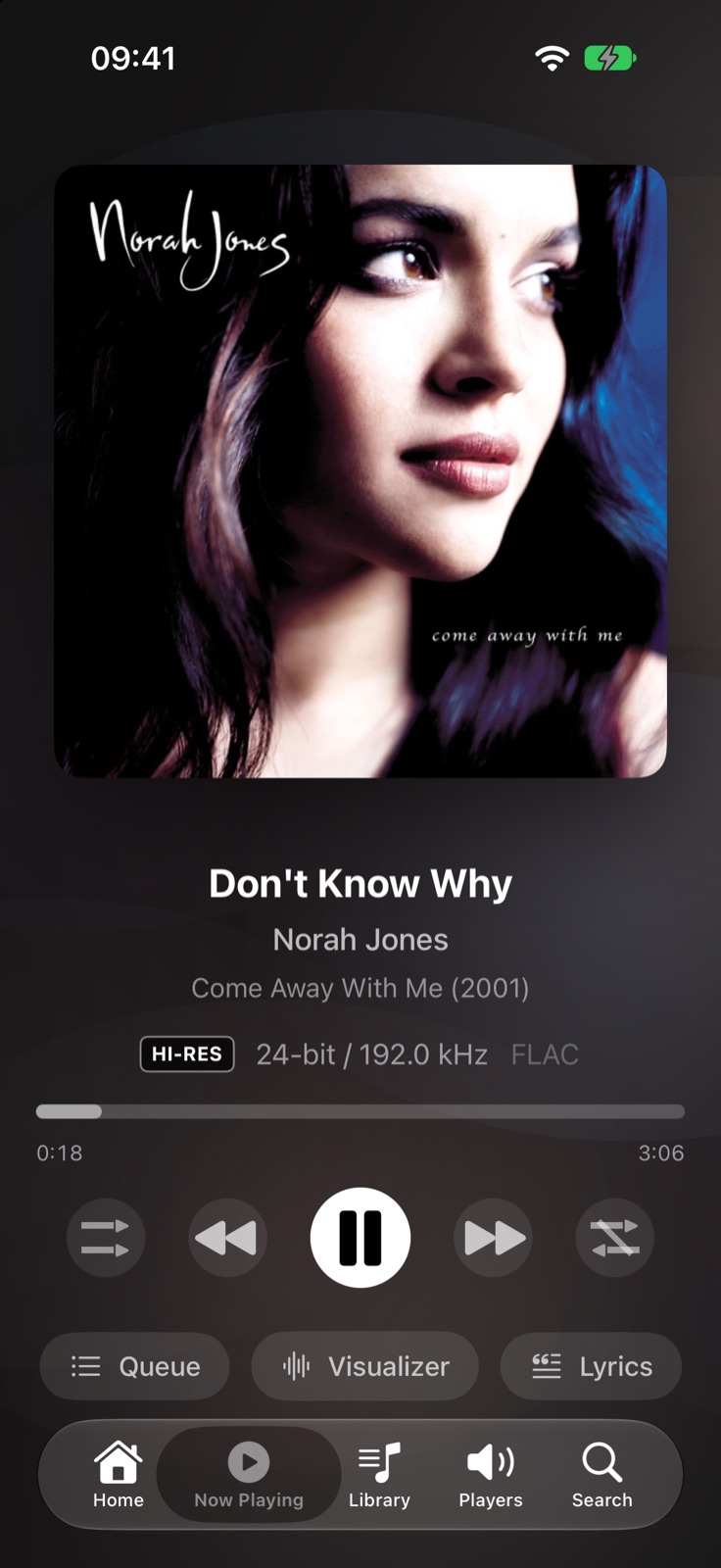
Built for the remote and the room: a leading sidebar, focus-driven grids, and audio sent to the receiver at the rate it was recorded.
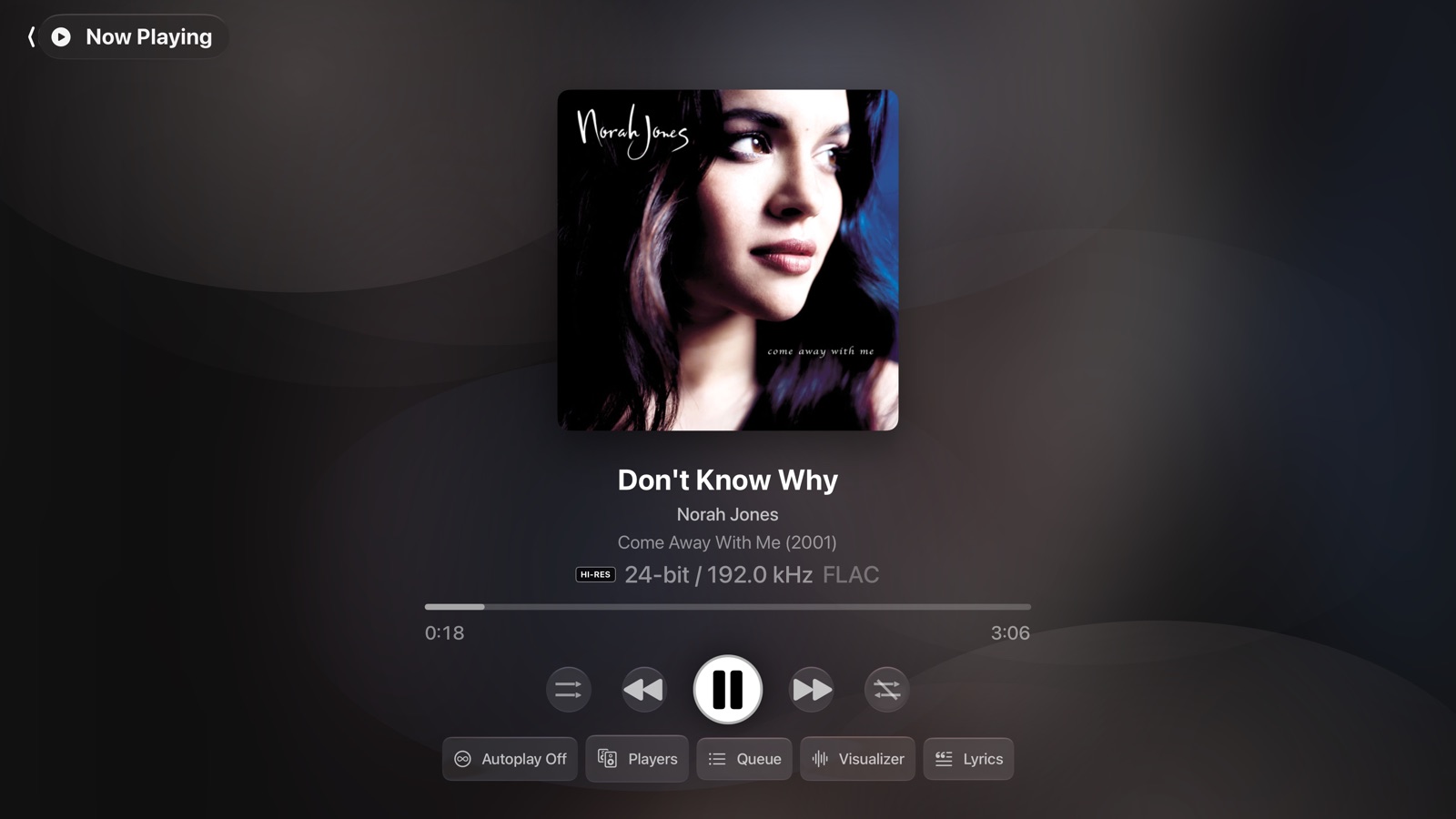
The line under the title is the source format as Music Assistant reports it: bit depth, sample rate and codec, with a Hi-Res badge when it earns one. Playback is lossless, up to 192 kHz / 24-bit, and the Apple TV's HDMI output switches to the track's rate rather than resampling everything to one. If tvOS keeps the output at a fixed rate on your setup, Streamphile says so instead of hiding it. The buttons along the bottom turn Music Assistant's Autoplay on or off, pick the output, and open the queue, the visualizer and the lyrics.
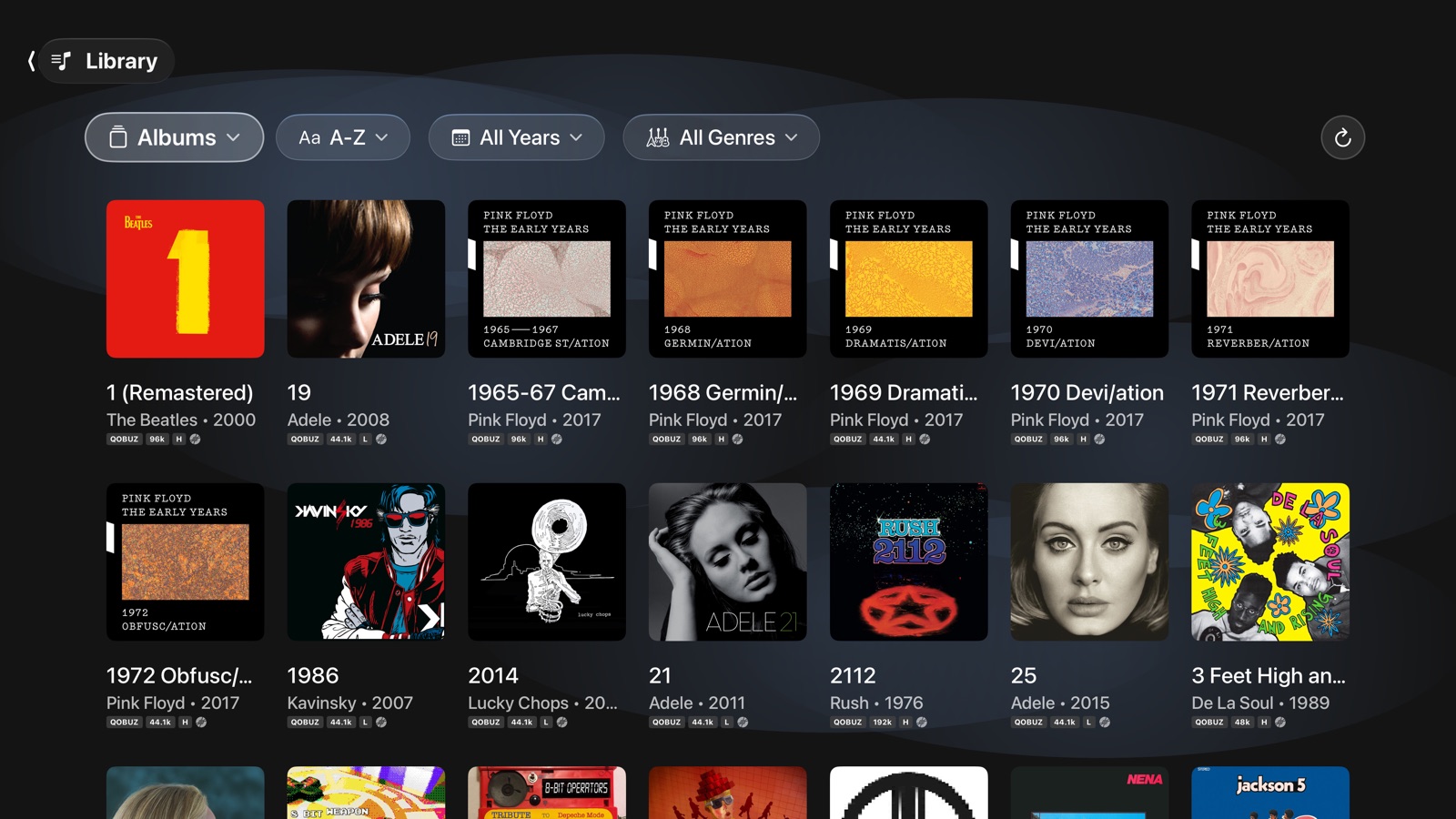
Albums, artists, playlists, podcasts and audiobooks from every provider your server has, sorted and filtered by year and genre. Each tile carries the source and its sample rate, worked out from the album's tracks rather than the album's summary, so a hi-res track on a mostly CD-quality album still shows.
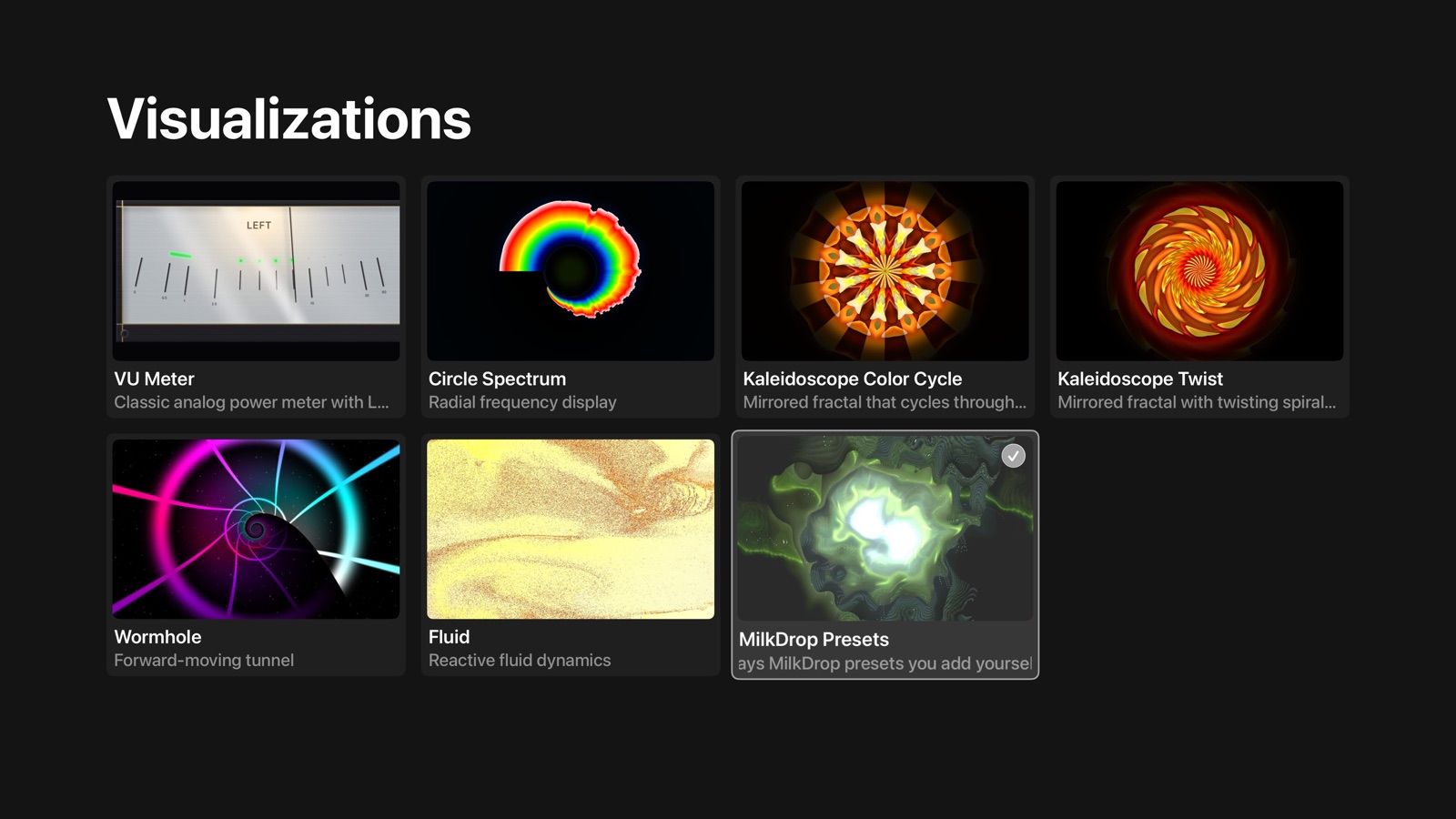
Six built in and drawn with Metal: VU Meter, Circle Spectrum, two kaleidoscopes, Wormhole and Fluid. The seventh plays MilkDrop presets. Pick one and it fills the screen while the music keeps going.

The MilkDrop player runs classic .milk presets on the GPU through MilkMetal. Streamphile does not ship any presets: you bring your own. Upload them from a browser on the same network, or on iPhone and iPad import them from Files. Folders are kept as they are, and the preset browser lets you search, love, hide and randomize them.
The same library and the same formats, plus CarPlay and listening away from home.
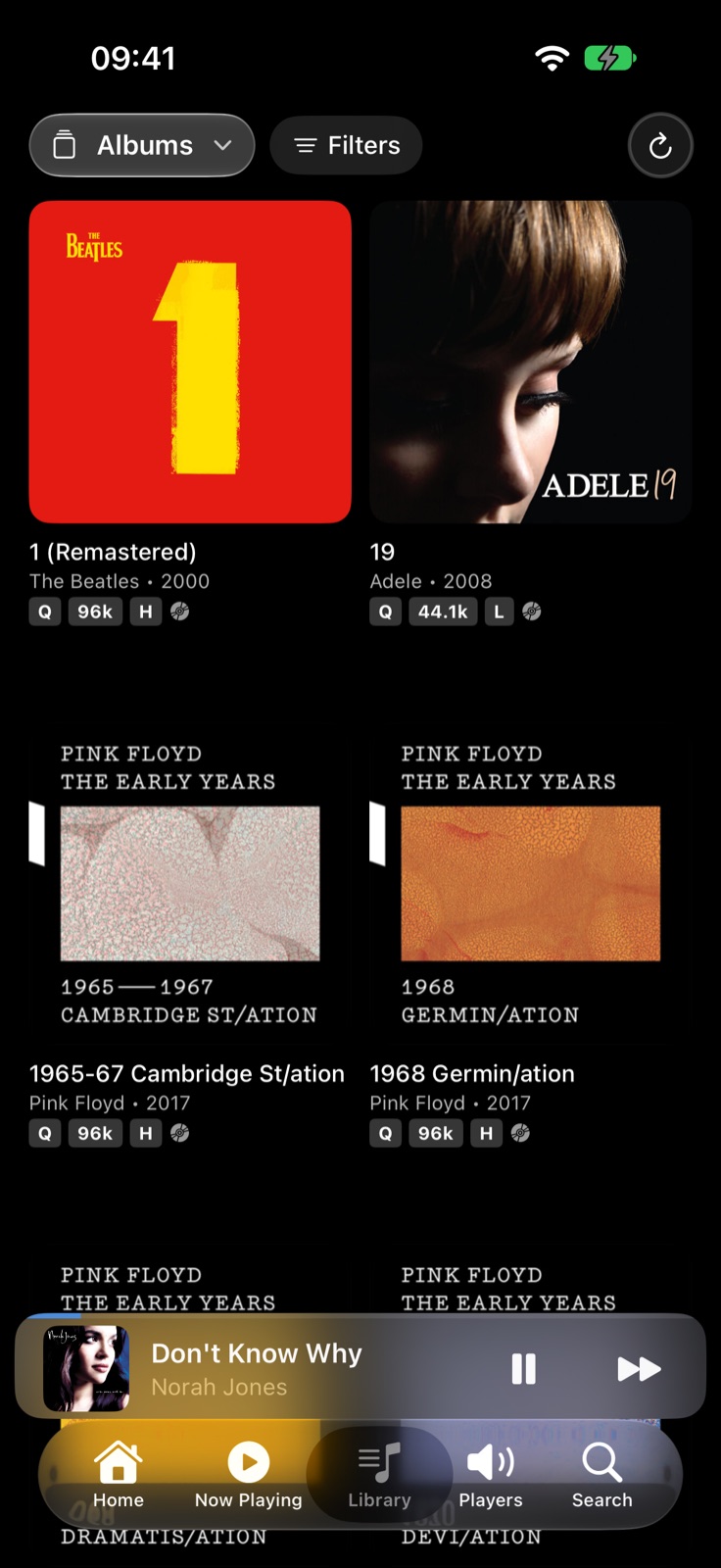
Two columns on a phone, with the mini player always a tap away. One Grid Columns setting sizes every grid and row in the app.
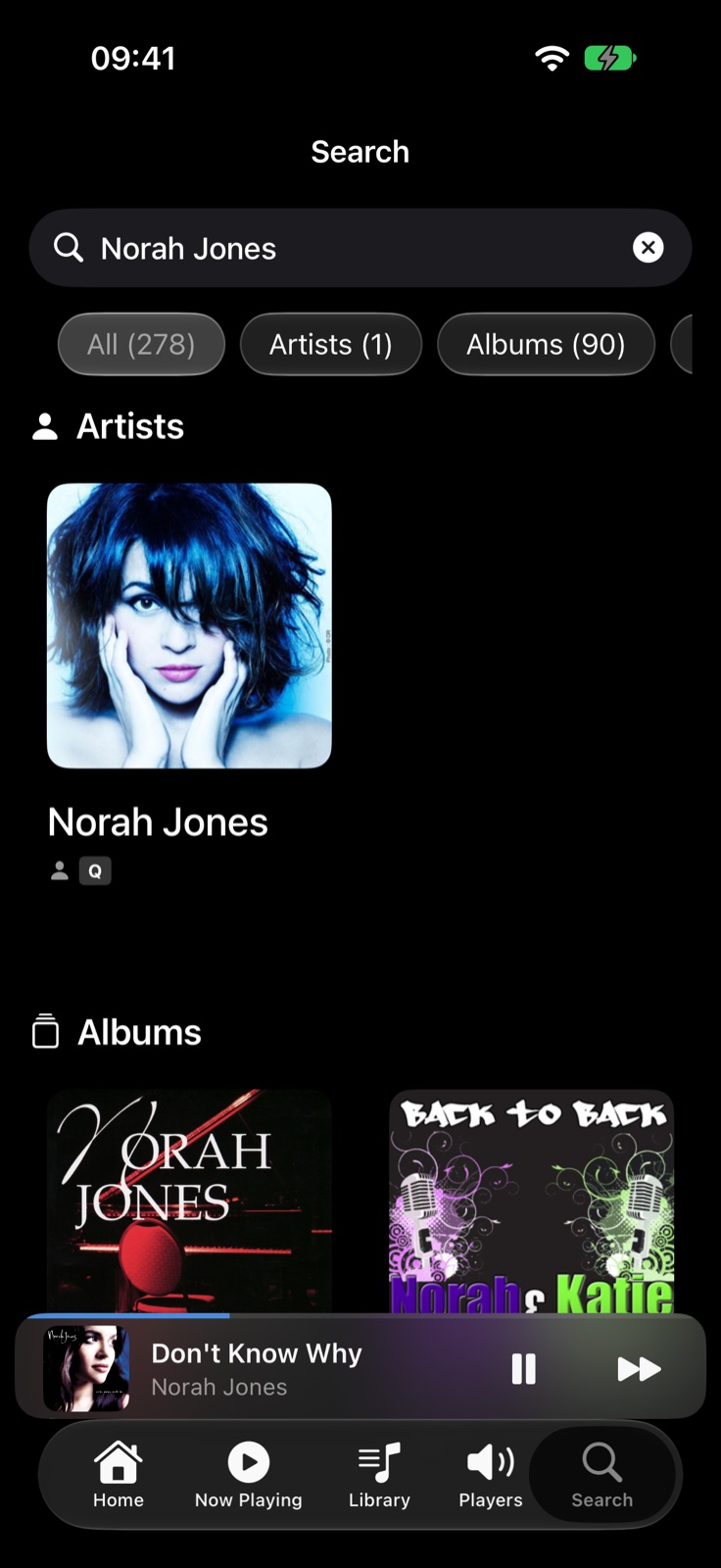
Results from every provider your server has, ranked by how well they match rather than alphabetically, with a count per type so you can narrow straight to albums or artists.
Screenshots are captured from the app in the tvOS and iOS simulators, connected to a Music Assistant server. Album artwork belongs to its respective rights holders. The MilkDrop preset shown is a community preset and is not included with the app.
Your Music Assistant players are listed on the Players screen. A gear on each one opens its settings: crossfade (off, smart, or standard with a length from 1 to 15 seconds), a parametric equalizer, and Autoplay. These are Music Assistant's own per-player settings, so a change made in Streamphile is the same change you would make in Music Assistant's web interface, and it applies to that output wherever it is played from.
On iPhone and iPad, Streamphile reaches your server through Music Assistant's remote access when you are not on your home network. Away from home it streams CD-quality lossless (FLAC) by default, which holds up on a mobile connection; on other networks you can choose a higher limit in Settings. In CarPlay you browse and play the same library from the car's screen.
Ask Siri to play music, a podcast or an audiobook in Streamphile on Apple TV, iPhone or iPad. On Apple TV, the Top Shelf shows what you played recently. The app is available in English, German, Spanish, French, Italian and Portuguese.
Streamphile collects no analytics, identifiers, or tracking, and there is no Streamphile account. The app talks to your own Music Assistant server and, away from home, to the Music Assistant project's connection service that introduces the app to that server. Read the full privacy policy →
Streamphile needs a Music Assistant server that you run yourself; it finds one on your network over Bonjour, and keeps its access token in the Keychain. Apple TV requires tvOS 26 or later; iPhone and iPad require iOS 26 or later. The HDMI sample rate on Apple TV ultimately depends on tvOS and on what your receiver or television accepts.
Streamphile is an independent app and is not affiliated with or endorsed by the Music Assistant project. Apple TV, iPhone, iPad, CarPlay and Siri are trademarks of Apple Inc.